Can I Create a W2 Online? A Guide to W-2s and Online Tools
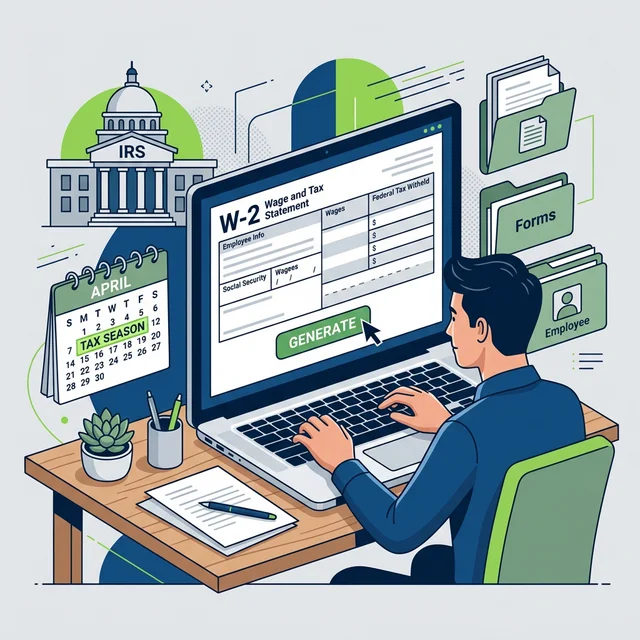
Yes, you can create W-2 forms online, but this capability is primarily for employers reporting employee wages and withheld taxes to the IRS and Social Security Administration. Employees generally access their W-2s online through employer portals or the IRS, rather than creating them themselves. It’s a critical distinction for tax compliance.
Understanding your W-2 is fundamental to tax season. It really is. Countless questions arise around this single, seemingly simple document. For employees, the W-2 summarizes everything you earned and every dollar withheld from your paychecks throughout the year. For employers, it’s a non-negotiable compliance requirement. Missteps here can lead to significant penalties, unhappy employees, and a headache you absolutely don't want. So, let’s clear up the confusion about creating W-2s online.
What Exactly is a W-2 Form? A Quick Refresher
Before we talk about creating them online, let's nail down what a W-2 actually is. Simply put, it's the Wage and Tax Statement. Employers issue this form to each employee and to the Social Security Administration (SSA) by January 31st each year. It reports your annual wages, tips, and other compensation, alongside the amount of federal, state, and local taxes withheld from your pay. This document is essential for filing individual income tax returns. Without it, you can't accurately tell the IRS what you earned or what you've already paid in taxes.
Think of it as the official financial snapshot of your employment for a given calendar year. It details gross pay, Social Security wages, Medicare wages, and all the various taxes taken out. For employers, getting these details right is paramount. Any errors can trigger IRS inquiries, not just for the business, but also for the employees affected.
Can Employers Create W-2s Online? Absolutely.
For employers, creating W-2 forms online isn't just possible; it's often the preferred, most efficient method. Manual preparation is tedious and prone to human error, especially for businesses with more than a handful of employees. Most modern payroll systems and tax software solutions offer tools for W-2 generation.
Here's how employers typically do it:
1. Payroll Software Services
Many businesses, from sole proprietorships with employees to large corporations, use dedicated payroll software. Companies like ADP, Gusto, or QuickBooks Payroll handle all the heavy lifting. They calculate wages, withhold taxes, and at year-end, they automatically generate W-2s based on the data accumulated throughout the year.
- Data Accuracy: These systems pull directly from your payroll records, minimizing errors.
- Compliance Updates: They stay updated with the latest tax laws and regulations, a huge relief for busy business owners. This is critical for staying on top of your payroll resources.
- Electronic Filing: Most services can electronically file W-2s directly with the SSA and provide employees with digital access.
- Integration: Often integrates with accounting software, making bookkeeping much simpler.
2. IRS Business Services Online (BSO)
The IRS offers its own platform, Business Services Online (BSO), where employers can create, print, and submit W-2 forms directly. This is a free option, often favored by smaller businesses or those not using a payroll service. You can file up to 50 W-2s per submission.
- Direct Filing: Submit forms directly to the SSA, which shares data with the IRS.
- Free Service: No cost involved, just your time and attention to detail.
- Manual Entry: Requires manual input of all wage and tax data for each employee, so accuracy is entirely on you. This means double-checking every single field.
3. Tax Preparation Software
Some tax preparation software packages, designed for small businesses, also include W-2 creation capabilities. These often come with step-by-step guides to help ensure proper completion. They're usually less than full payroll services but can be a good middle ground.
Why Employees Can't "Create" Their Own W-2 Online
This is where many people get confused. An employee can't simply go online and "create" their own W-2 form. Why? Because the W-2 is an official statement from an employer to an employee and the government. It verifies wages paid and taxes withheld. If you, as an employee, could just fill one out, it would completely undermine the integrity of the tax system. That would be chaos.
Real talk: Attempting to create a fake W-2 for yourself is tax fraud. It carries severe penalties, including fines and imprisonment (and trust me, the IRS doesn't mess around). Always obtain your W-2 from your employer. If you're an independent contractor, you're looking for a Form 1099-NEC, not a W-2. We covered this in detail in our How To Create A Pay Stub For A 1099 Employee guide.
Accessing Your W-2 Online as an Employee
While you can't create one, you absolutely can access your W-2 online. This is the common scenario most employees encounter.
Here are the primary ways:
- Employer's Online Portal: Many employers provide an online portal (often through their payroll service provider) where employees can view, download, and print their W-2s. This is increasingly common and often the fastest way to get yours.
- Tax Software Import: If you use popular tax software like TurboTax, H&R Block, or TaxAct, you can often import your W-2 data directly from your employer or payroll provider. This s the filing process dramatically.
- IRS Get Transcript Service: If you can't get your W-2 from your employer, you can request a wage and income transcript directly from the IRS. This transcript shows information from forms like W-2s, 1099s, and 1098s. It won't be an exact copy of your W-2, but it contains all the necessary tax data. You can usually get this online within minutes if you verify your identity. Check out the IRS website for more info.
What if you've tried all those avenues and still can't get your W-2? Don't panic. The IRS can help. They can reach out to your employer on your behalf after a certain period, usually by mid-February if you haven't received it by January 31st.
W-2 vs. Pay Stub: Knowing the Difference
Many people confuse a W-2 with a pay stub. They're related, but they serve very different purposes.
| Feature | W-2 (Wage and Tax Statement) | Pay Stub (or Paycheck Stub) |
|---|---|---|
| Purpose | Annual summary of wages and taxes for income tax filing. | Detailed breakdown of earnings and deductions for a single pay period. |
| Issuance | Annually by January 31st. | Each pay period (weekly, bi-weekly, monthly). |
| Recipient | Employee, IRS, SSA, state/local tax agencies. | Employee only (for their records). |
| Content | Total annual gross wages, total federal, state, local taxes withheld, Social Security & Medicare wages/taxes. | Gross pay, net pay, itemized deductions (401k, health insurance), YTD totals, hours worked. |
| Legal Status | Official tax document required by law. | Often required by state law, but primarily a record for the employee. |
Your W-2 is the big picture, the annual report. Your pay stub is the granular detail, the week-by-week (or pay-period-by-pay-period) breakdown. Pay stubs are incredibly useful for tracking your income, verifying deductions, and even applying for loans or apartments as proof of income. If you need a professional pay stub right now, you can create one in under 2 minutes. And for those looking to create one, check out our check stub maker.
Important Compliance Considerations for Employers
Employers bear the primary responsibility for accurate W-2 creation and timely submission. There are strict rules.
- Accuracy: Every piece of information must be correct. Names, addresses, Social Security numbers (SSNs), and all wage and tax figures. Errors can lead to penalties from the IRS.
- Deadlines: W-2s must be furnished to employees and filed with the SSA by January 31st. Extensions are possible but must be requested. Late filing penalties can range from $60 to $310 per form, depending on how late they're, according to IRS Publication 15.
- Worker Classification: Correctly classifying workers as employees or independent contractors is paramount. Misclassifying an employee as an independent contractor to avoid payroll taxes is a serious offense, attracting significant penalties and back taxes. This distinction impacts whether you issue a W-2 or a 1099-NEC.
- FICA Taxes: Employers must withhold and remit FICA taxes (Social Security and Medicare) for employees. For 2026, the Social Security tax rate is 6.2% for both the employee and employer (total 12.4%) up to the annual wage base, and the Medicare tax rate is 1.45% for both employee and employer (total 2.9%) on all wages, with an additional Medicare tax for high-income earners. We explain more about this in our Fica Tax Explained article. The Social Security Administration provides detailed information on wage limits and rates.
Do you've a clear system in place for these? If not, it's time to build one.
Choosing the Right Payroll Solution for Your Business
For employers, picking the right payroll service is a . It ensures compliance, saves time, and minimizes stress. But how do you choose?
Consider these factors:
- Business Size: Are you a sole proprietor with one employee or a growing small business? Some solutions cater better to specific scales.
- Features: Do you need just payroll, or do you also need benefits administration, time tracking, or HR support?
- Cost: Pricing models vary widely. Compare fees, hidden costs, and what's included in each tier.
- Ease of Use: A user-friendly interface can save hours of frustration.
- Integration: Will it integrate with your existing accounting software, like QuickBooks or Xero?
- Customer Support: When things go wrong (and sometimes they do, that's just business), reliable support is invaluable.
My advice? Don't just pick the cheapest option. Invest in a solution that provides accurate calculations, handles tax filings, and offers good support. It's not just about paying employees; it's about staying compliant and protecting your business.
Frequently Asked Questions
Can I print a blank W-2 form online and fill it out myself?
While you can find blank W-2 forms online from the IRS website, employers generally shouldn't fill them out manually. Using tax software or a payroll service ensures accuracy, proper formatting, and correct calculations, which is critical for IRS compliance.
What should I do if my employer won't give me my W-2?
First, politely request it again, perhaps in writing. If the January 31st deadline has passed and you still haven't received it by mid-February, you can contact the IRS directly. They can assist you in obtaining the necessary wage and tax information, or even contact your employer on your behalf.
Is there a difference between a digital W-2 and a paper W-2?
No, there's no legal difference. A digital W-2 (like a PDF downloaded from an employer portal) is just as valid as a paper copy. Both contain the same official information and can be used to file your taxes. Many employers prefer digital distribution for efficiency.
What if I made a mistake on a W-2 I filed as an employer?
If you realize you've made an error on a W-2 you've already filed, you'll need to file Form W-2c, Corrected Wage and Tax Statement. This form corrects errors on previously filed W-2s and must be sent to the SSA, along with a copy to the employee. Correcting mistakes promptly is important to avoid potential penalties.
Practical Actionable Takeaway
Employers, take note: you absolutely can create W-2s online using payroll software or the IRS BSO, and it's your legal obligation to do so accurately and on time. Implement a reliable payroll system and verify all data before submission. Employees, remember you access your W-2 online, primarily through your employer's portal or the IRS's Get Transcript service – never attempt to generate your own. If you need to keep track of your income and deductions throughout the year, regularly review your pay stubs, or even try our free paystub maker if you're an independent contractor needing income verification. Staying informed and proactive is your best defense against tax season headaches.
Sources
- Employer's Tax Guide (Publication 15) — Internal Revenue Service
- Business Services Online (BSO) — Social Security Administration
- Penalties for Not Filing on Time — Internal Revenue Service
- Small Business Payroll Software & Services — ADP
- Employee vs. Independent Contractor — Nolo

About ValidPaystubs Editorial Team
Articles on ValidPaystubs are written and maintained by the editorial team at Sweethelp LLC, the company that operates this site from Sheridan, WY. We are a small team, not a firm of accountants — we build the tool and document how US payroll figures work, citing the IRS and state revenue departments so you can check any number against its source. Nothing here is tax, legal or financial advice, and for a decision that matters you should talk to a licensed professional.
View Profile