How to Read a Paystub: Complete Breakdown of Every Section (2026)
How to Read a Paystub: Complete Breakdown of Every Section (2026)
Your paystub contains crucial financial information, but it can look like a confusing jumble of numbers and abbreviations. This comprehensive guide will teach you how to read a paystub, understand every section, and verify that you're being paid correctly.
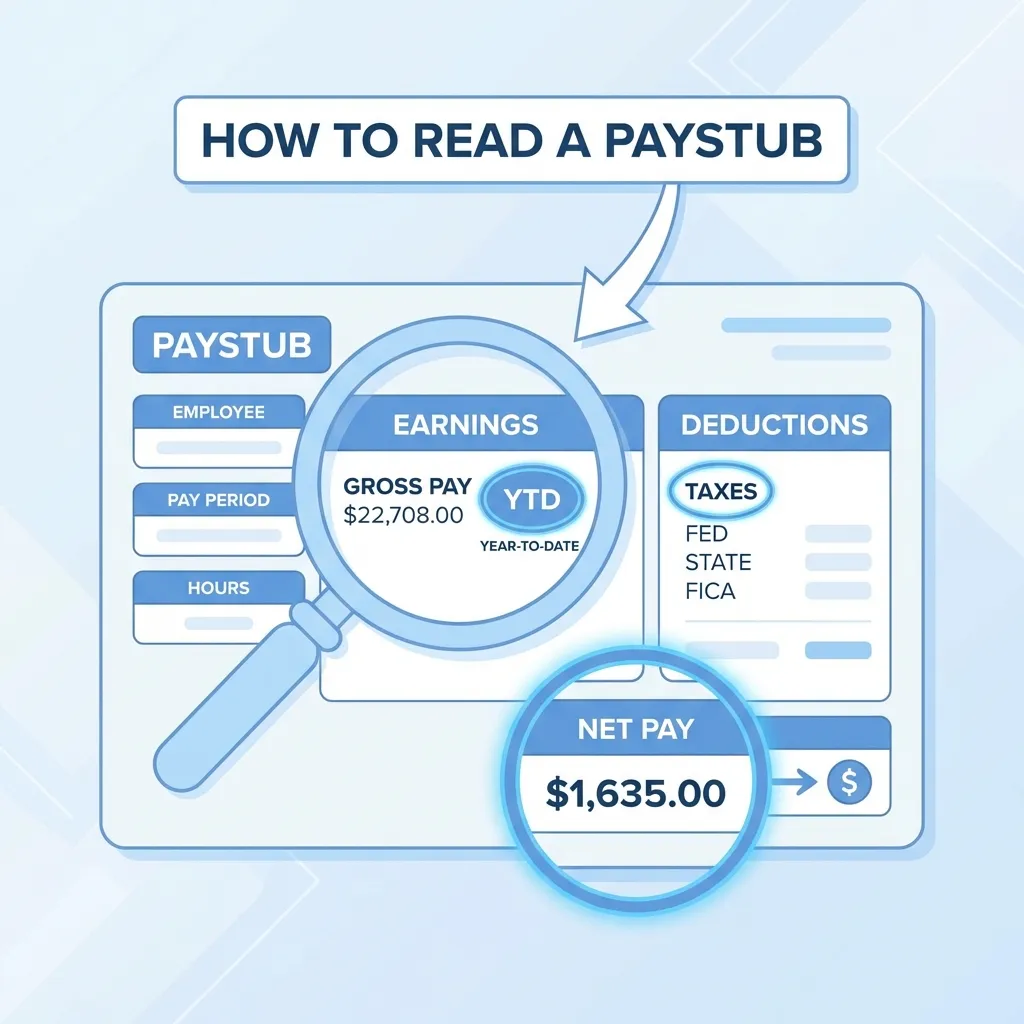
Paystub Overview: The Big Picture
A typical paystub contains:
- Employee Information - Who you are
- Employer Information - Who pays you
- Pay Period Information - When you're being paid for
- Earnings Section - Money you earned
- Deductions Section - Money taken out
- Taxes Section - Government deductions
- Net Pay - What you actually receive
- Year-to-Date (YTD) - Totals for the year
Section 1: Employee Information
Location: Top of paystub
Contains:
- Your full legal name
- Employee ID number
- Social Security Number (last 4 digits)
- Home address
- Department/Division
What to Check:
- ✅ Name is spelled correctly
- ✅ Address is current
- ✅ Employee ID matches your records
Section 2: Employer Information
Location: Top of paystub, below employee info
Contains:
- Company name
- Business address
- Employer ID Number (EIN)
- Payroll department contact
What to Check:
- ✅ Company name is correct
- ✅ Address matches your employer
Section 3: Pay Period Information
Location: Usually near the top
Contains:
- Pay Period Start Date
- Pay Period End Date
- Pay Date (when you receive payment)
- Check Number (if applicable)
- Pay Frequency (weekly, bi-weekly, monthly)
What to Check:
- ✅ Dates are correct
- ✅ Pay date is after period end
- ✅ Frequency matches your schedule
Example:
Pay Period: 01/01/2026 - 01/14/2026
Pay Date: 01/17/2026
Frequency: Bi-weekly
Section 4: Earnings (The Money You Made)
Location: Middle section, left side
Contains:
- Regular Hours
- Regular Rate
- Regular Pay
- Overtime Hours (if applicable)
- Overtime Rate
- Overtime Pay
- Other Earnings (bonuses, commissions, etc.)
- Gross Pay (total before deductions)
How to Read:
| Item | Description | Example |
|---|---|---|
| Regular Hours | Standard hours worked | 80 hours |
| Regular Rate | Your hourly wage | $25.00/hour |
| Regular Pay | Hours × Rate | $2,000.00 |
| Overtime Hours | Hours over 40/week | 5 hours |
| Overtime Rate | Usually 1.5× regular rate | $37.50/hour |
| Overtime Pay | OT Hours × OT Rate | $187.50 |
| Gross Pay | Total earnings | $2,187.50 |
What to Check:
- ✅ Hours match your timesheet
- ✅ Rate matches your agreement
- ✅ Overtime calculated correctly (1.5× rate)
- ✅ Gross pay = Regular Pay + Overtime Pay + Other
Section 5: Deductions (Where Your Money Goes)
Location: Middle section, right side
Contains:
- Federal Income Tax
- State Income Tax
- Social Security (FICA-SS)
- Medicare (FICA-Med)
- Local Taxes (if applicable)
- Health Insurance
- Retirement (401k, etc.)
- Other Deductions
How to Read:
| Deduction | What It Is | Typical Amount |
|---|---|---|
| Federal Tax | Income tax to IRS | 10-37% of gross |
| State Tax | Income tax to state | 0-13.3% of gross |
| Social Security | Retirement tax | 6.2% of gross |
| Medicare | Healthcare tax | 1.45% of gross |
| Health Insurance | Your share of premiums | Varies |
| 401k | Retirement contribution | Varies |
What to Check:
- ✅ Federal tax seems reasonable for your income
- ✅ State tax matches your state's rate
- ✅ FICA = 7.65% total (6.2% + 1.45%)
- ✅ Deductions match your elections
Section 6: Taxes Breakdown
Location: Usually detailed section
Federal Taxes:
- Federal Income Tax (FIT/FWT)
- Social Security (FICA-SS/OASDI) - 6.2%
- Medicare (FICA-Med/HI) - 1.45%
- Additional Medicare (if income > $200k) - 0.9%
State Taxes:
- State Income Tax (SIT/SWT)
- State Disability Insurance (SDI) - some states
- State Unemployment (SUI) - some states
Local Taxes:
- City/County taxes (where applicable)
What to Check:
- ✅ Federal tax uses correct bracket
- ✅ State tax matches your state
- ✅ FICA totals 7.65% (6.2% + 1.45%)
Section 7: Net Pay (Take-Home Pay)
Location: Bottom section, prominent
Formula:
Net Pay = Gross Pay - All Deductions
What It Means:
- This is the actual amount deposited to your bank
- The money you can spend
- After all taxes and deductions
What to Check:
- ✅ Net pay matches your bank deposit
- ✅ Calculation is correct (Gross - Deductions = Net)
Section 8: Year-to-Date (YTD) Totals
Location: Right column, usually
Contains:
- YTD Gross Pay
- YTD Federal Tax
- YTD State Tax
- YTD Social Security
- YTD Medicare
- YTD Deductions
- YTD Net Pay
What It Means:
- Cumulative totals from January 1 to current pay period
- Shows your annual progress
- Should match your W-2 at year-end
What to Check:
- ✅ YTD totals are cumulative
- ✅ Each paystub builds on previous
- ✅ Final YTD matches annual income
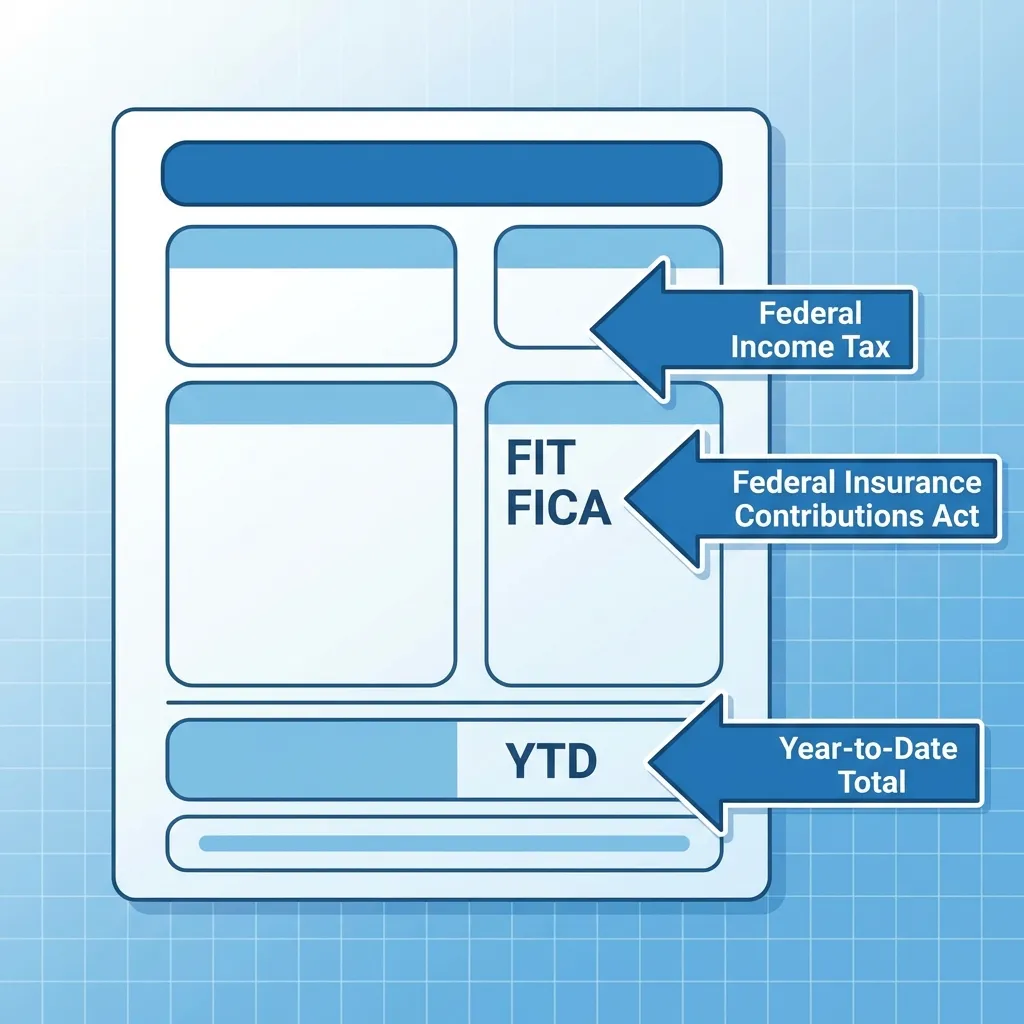
Common Paystub Abbreviations
| Abbreviation | Full Name | Meaning |
|---|---|---|
| FIT/FWT | Federal Income Tax | Tax to IRS |
| SIT/SWT | State Income Tax | Tax to state |
| FICA | Federal Insurance Contributions Act | Social Security + Medicare |
| SS/OASDI | Social Security | Retirement tax (6.2%) |
| MED/HI | Medicare | Healthcare tax (1.45%) |
| YTD | Year to Date | Cumulative totals |
| REG | Regular Pay | Standard earnings |
| OT | Overtime | Hours over 40/week |
| GTL | Group Term Life | Life insurance |
| HSA | Health Savings Account | Medical savings |
How to Verify Your Paystub is Correct
Step 1: Check Hours and Rate
Verify:
- Hours match your timesheet
- Rate matches your agreement
- Overtime calculated correctly
Step 2: Verify Gross Pay
Calculate:
Gross Pay = (Regular Hours × Rate) + (OT Hours × OT Rate) + Other
Step 3: Check Tax Calculations
Verify:
- Federal tax uses correct bracket
- State tax matches your state
- FICA = 7.65% of gross
Step 4: Verify Net Pay
Calculate:
Net Pay = Gross Pay - All Deductions
Should match your bank deposit.
Step 5: Check YTD Totals
Verify:
- YTD totals are cumulative
- Each paystub builds on previous
- Totals make sense for the year
Red Flags to Watch For
Red Flag 1: Gross Pay Doesn't Match
Problem: Gross pay doesn't match hours × rate.
Action: Contact payroll immediately.
Red Flag 2: Taxes Seem Too High
Problem: Tax deductions seem excessive.
Action: Check your W-4 form, verify tax bracket.
Red Flag 3: Missing Deductions
Problem: Expected deductions (401k, insurance) missing.
Action: Verify your benefit elections.
Red Flag 4: YTD Totals Don't Add Up
Problem: YTD totals don't match previous paystubs.
Action: Review all paystubs, contact payroll.
Frequently Asked Questions
What is the most important number on a paystub?
Gross Pay - This is your total earnings before deductions. Lenders and landlords use this to verify income.
What's the difference between gross and net pay?
Gross Pay = Total earnings before deductions Net Pay = What you actually receive after all deductions
How do I calculate my take-home pay?
Net Pay = Gross Pay - All Deductions (taxes, insurance, retirement, etc.)
What should I do if my paystub is wrong?
Contact your payroll department immediately. Keep copies of incorrect paystubs.
How long should I keep paystubs?
Keep paystubs for at least 1 year. After reconciling with your W-2, you can discard or store digitally.
What is YTD?
Year-to-Date - Cumulative totals from January 1 through the current pay period.
Conclusion: Master Your Paystub
Now you know how to read a paystub completely. You can:
- ✅ Understand every section
- ✅ Verify calculations
- ✅ Spot errors
- ✅ Use paystubs for loans and applications
Key Takeaways:
- Gross Pay = Total earnings before deductions
- Net Pay = What you actually receive
- YTD = Year-to-date cumulative totals
- Always verify your paystub is correct
- Keep records of all paystubs
Whether you're checking your current paystub or creating new ones, you now have the knowledge to understand every line item.
Learn more: Paystub Abbreviations Explained, What is a Paystub, Gross Pay vs Net Pay.
Sources & References

About ValidPaystubs Editorial Team
Articles on ValidPaystubs are written and maintained by the editorial team at Sweethelp LLC, the company that operates this site from Sheridan, WY. We are a small team, not a firm of accountants — we build the tool and document how US payroll figures work, citing the IRS and state revenue departments so you can check any number against its source. Nothing here is tax, legal or financial advice, and for a decision that matters you should talk to a licensed professional.
View Profile