How to Make a Pay Stub for Your Employees: A Step-by-Step HR Guide

To make a pay stub for your employee, you need to calculate their gross pay, subtract pre-tax deductions, factor in all federal and state taxes, and then deduct any post-tax items. A compliant pay stub must clearly show gross wages, net pay, hours worked, pay period dates, and all itemized deductions. It's a critical document for both you and your staff.
Countless small business owners through the sometimes-confusing maze of payroll. Making pay stubs might seem like just another task on your to-do list. It's actually a foundational element of good employer-employee relations and legal compliance. You can't just hand someone a check and call it a day. Employees need a detailed breakdown of their earnings and deductions. They deserve that transparency. Plus, you’re legally obligated in most states.
This isn't just about handing over a piece of paper. It's about clarity. It's about trust. It's about fulfilling your responsibilities as an employer. Missing just one key detail could lead to headaches, fines, or even disgruntled employees. My goal here's to simplify this process for you, breaking down each step.
Why Pay Stubs are Non-Negotiable
Why do we even have pay stubs? It's a fair question, especially for new business owners. The answer is simple: they protect everyone.
First, there's the legal side. Many states, like California and New York, mandate pay stub delivery. They specify exactly what information must be included. Ignoring these laws can lead to significant penalties. For instance, California's Labor Code Section 226 dictates very specific information that must be on every pay stub, including total hours worked and all deductions. Non-compliance could mean a $50 fine for the first violation and $100 for subsequent ones, per employee, per pay period, up to a maximum of $4,000. That adds up fast.
Then there's the employee's perspective. Your team needs pay stubs for various reasons. They use them for income verification when applying for a loan, renting an apartment, or even just checking their own budget. It's their proof of income. Imagine trying to get a mortgage without showing proof of your earnings. It would be impossible.
Finally, for you, the employer, pay stubs serve as records. They document your compliance with wage and hour laws, tax withholdings, and benefit deductions. Should there ever be an audit or a dispute, your meticulously crafted pay stubs are your first line of defense. They literally tell the story of every paycheck.
Key Components of a Compliant Pay Stub
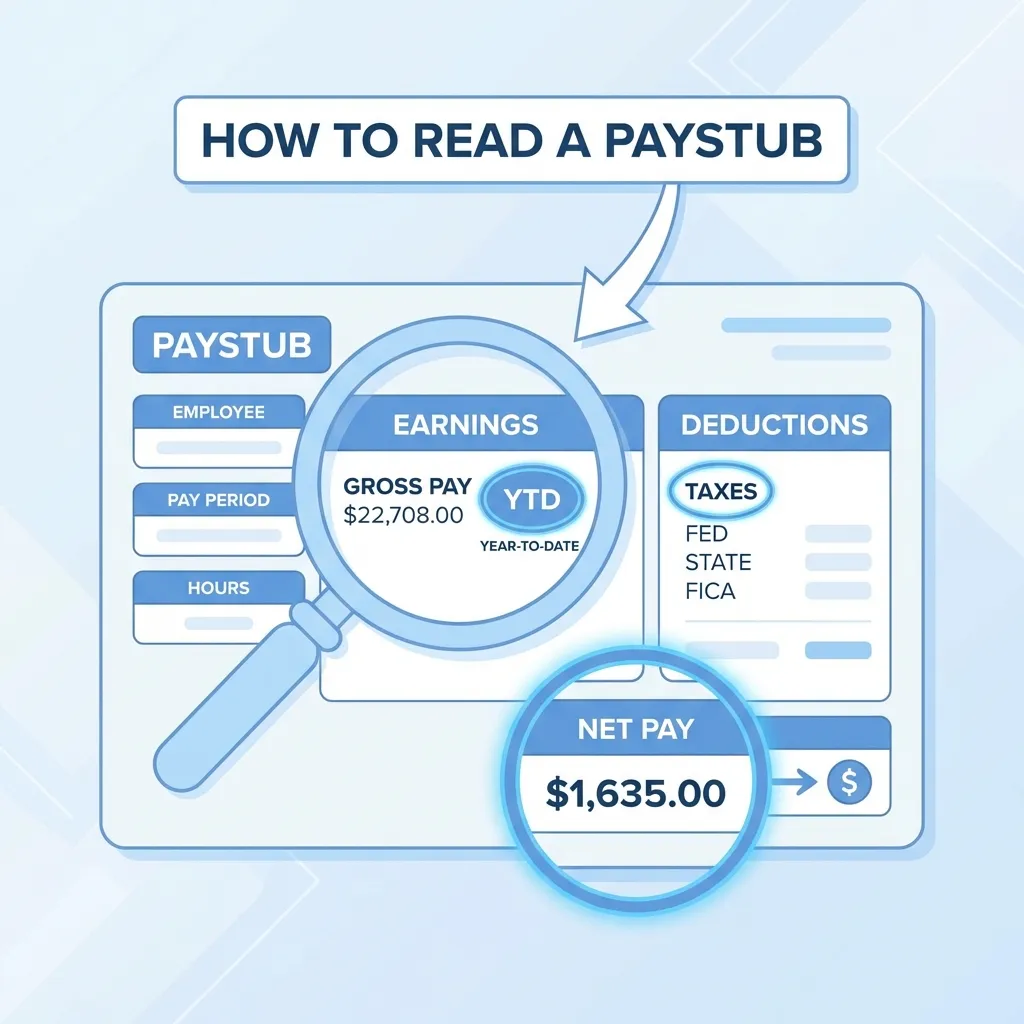
Before we jump into the "how," let's make sure we understand the "what." What must be on a pay stub? What does every employee need to see? It's more than just a gross and net number.
Employee and Employer Information
This is basic identification. You need your business's legal name and address. Your employee's name and address are essential too. Seems obvious, but sometimes these simple details get overlooked in the rush.
Pay Period Dates and Pay Date
Every pay stub needs to clearly state the start and end dates of the work period the pay covers. Is it for May 1st to May 15th? That needs to be visible. The actual pay date, when the employee received their funds, must also be included.
Gross Pay
This is the employee's total earnings before any deductions come out. It's the full amount they earned for their work during that pay period. This can be based on an hourly rate, a salary, commission, bonuses, or tips. For hourly employees, the number of hours worked should also be itemized, often broken down into regular, overtime, and any special pay rates.
Pre-Tax Deductions
These are deductions taken before taxes are calculated. They reduce the employee's taxable income. Think about things like:
- Health insurance premiums (employer-sponsored)
- 401(k) contributions
- Flexible Spending Accounts (FSAs)
- Health Savings Accounts (HSAs)
These deductions are often incredibly valuable to your employees, so make sure they're visible.
Taxes Withheld
This is where things can get a little tricky, but it's arguably the most important part for compliance. You're responsible for withholding federal, state, and sometimes local taxes.
- Federal Income Tax: Based on the employee's W-4 form.
- FICA Taxes (Social Security and Medicare): These are mandatory. For 2026, the Social Security tax rate for employers and employees is 6.2% each (up to the annual wage base), and the Medicare tax rate is 1.45% each. Self-employed individuals pay both halves. It's a combined 7.65% from the employee, which you withhold. You can learn more about these requirements on the IRS website, specifically Publication 15.
- State Income Tax: Varies significantly by state. Some states have no income tax. Others have complex progressive systems.
- Local Taxes: Some cities or counties have their own income taxes or specific levies.
Calculating these can be complex. That's why tools like a paycheck calculator are invaluable for ensuring you get the numbers right before issuing checks.
Post-Tax Deductions
These deductions are taken after all taxes have been calculated and withheld. They don't reduce taxable income. Examples often include:
- Wage garnishments (for child support, student loans, etc.)
- Roth 401(k) contributions (different from traditional 401(k)s)
- Union dues
- Charitable contributions
- Some types of disability insurance premiums
Net Pay
This is the employee's take-home pay. It's what's left after all pre-tax deductions, taxes, and post-tax deductions have been subtracted from their gross pay. This is the amount that actually hits their bank account.
Step-by-Step Guide to Making a Pay Stub
Okay, so you know what needs to be on it. Now, how do you actually build one? Here’s my process, distilled from years of handling payroll.
Step 1: Gather Employee Information
Before you do anything else, make sure you've all the necessary employee data. This includes:
- Full legal name and address
- Social Security number
- W-4 form (for federal tax withholding)
- State tax withholding forms (if applicable)
- Any forms related to deductions (e.g., 401(k) elections, health insurance enrollment)
Without these, you're flying blind.
Step 2: Calculate Gross Wages
This is your starting point. How you calculate it depends on your employee's pay structure.
- Hourly Employees: Multiply their hourly rate by the number of regular hours worked. Then, calculate overtime (typically 1.5 times their regular rate for hours over 40 in a workweek, as defined by the Fair Labor Standards Act (FLSA)). Add any bonuses or commissions.
- Salaried Employees: Divide their annual salary by the number of pay periods in the year. If they get paid bi-weekly, divide by 26. If semi-monthly, divide by 24. Always account for any bonuses.
- Commission/Tips: Add the total commissions or tips earned during the pay period to any base salary or hourly wages.
Step 3: Account for Pre-Tax Deductions
Subtract any pre-tax deductions from the gross pay. This gives you the taxable gross pay (or adjusted gross income for payroll purposes). This is the number you'll use for calculating federal and state income taxes.
For example: Gross Pay - 401(k) Contribution - Health Insurance Premium = Taxable Gross Pay.
Step 4: Calculate and Withhold Taxes
This is often the most complex step. You'll need to calculate:
- Federal Income Tax: Use the employee's W-4 form (the withholding allowances and any additional amounts specified) and the IRS's tax tables or percentage method. The IRS provides detailed guidance on this.
- FICA Taxes (Social Security & Medicare): As mentioned, for 2026, it's 6.2% for Social Security (up to the annual wage base, which changes yearly) and 1.45% for Medicare on all earnings.
- State Income Tax: Refer to your state's revenue department guidelines and the employee's state withholding form.
- Local Taxes: If applicable, calculate based on local municipal rules.
This step absolutely needs accuracy. Mistakes here can lead to under-withholding (employees owe more at tax time) or over-withholding (employees get less take-home pay than they should), both of which cause problems. My experience tells me this is where many small businesses make their first error. When you're new to payroll, don't guess. Use official sources or software.
Step 5: Deduct Post-Tax Items
After you've calculated and subtracted all taxes, then you subtract any post-tax deductions. These come out of the employee's net taxable income. Think of these as deductions from their take-home pay.
Step 6: Determine Net Pay
Finally, subtract all post-tax deductions from the amount remaining after taxes. This final figure is the employee's net pay. This is the exact amount you'll pay them.
Step 7: Format and Distribute
Once all calculations are done, organize the information clearly on a pay stub. Ensure all required fields are present and easy to read. Then, distribute it to your employee. Most businesses do this electronically through a payroll portal, but paper copies are fine too. Just make sure it’s secure and timely.
If you need a professional pay stub right now, you can create one in under 2 minutes.
Methods for Creating Pay Stubs
You've got options generating these vital documents. Each has its pros and cons.
Manual Creation (Spreadsheets)
Some small businesses start with spreadsheets. It's free, that's a big draw. But wait, there's a catch.
| Pros | Cons |
|---|---|
| Free to use (if you already have Excel) | Extremely prone to human error |
| Full control over customization | Requires constant manual updates for tax laws, deduction changes, and employee information |
| Good for very few employees (1-2) | Very time-consuming, especially with more employees or complex deductions |
| Lacks security features; sensitive data can be exposed | |
| Difficult to ensure compliance with ever-changing state and federal regulations (like the DOL's wage and hour laws) |
Real talk: Manual spreadsheets are fine for a brief period if you've one or two employees and minimal deductions. As soon as you add more complexity, they become a huge liability. I've seen clients waste hours fixing errors that payroll software would have prevented.
Payroll Software
This is the gold standard for most businesses, even small ones. Companies like ADP, Paychex, Gusto, and QuickBooks Payroll offer solutions.
- Pros:
- Automates calculations for gross pay, taxes, and deductions.
- Stays up-to-date with federal, state, and local tax laws.
- Handles tax filings and payments for you.
- Provides secure employee portals for pay stub access.
- Often integrates with time tracking and accounting software.
- Offers reporting capabilities.
- Cons:
- Can be a significant monthly cost, especially for smaller budgets.
- Might have a learning curve to set up initially.
Pay Stub Generators
These are fantastic for businesses that don't need full payroll processing but still require professional, compliant pay stubs. Maybe you're paying a few part-time staff, or you've already calculated everything manually but need a polished document.
- Pros:
- Quick and easy to use.
- Generates professional-looking, compliant pay stubs instantly.
- Much more affordable than full payroll software.
- You input the data; the tool formats it correctly.
- Great for occasional pay stub needs.
- Cons:
- Requires you to do the calculations yourself before inputting.
- Doesn't handle tax filings or payments.
If you've done your calculations and just need a proper document, a pay stub generator is an excellent choice. You can try our free paystub maker to see how straightforward it's.
Common Mistakes to Avoid
In my experience, certain errors pop up repeatedly. Being aware of them can save you a lot of grief.
- Misclassifying Employees vs. Independent Contractors: This is a big one. Pay stubs are for employees. Independent contractors receive a 1099 form, not a pay stub. We covered this in detail in our Pay Stub Template For Independent Contractor article. The IRS and Department of Labor take worker classification very seriously. Getting this wrong can lead to hefty back taxes, penalties, and even legal action. Make sure you understand the difference. (It's more nuanced than you might think!)
- Incorrect Withholding: Not updating W-4 forms, using outdated tax tables, or simply making calculation errors. This impacts both the employee (their tax liability) and you (potential penalties).
- Missing Required Information: Forgetting to include hours worked, the pay period, or a specific type of deduction. Each state has its own list of must-haves. Check your state's labor department website.
- Lack of Consistency: Pay stubs should look similar and be delivered consistently. Sporadic or inconsistent pay stubs look unprofessional and can raise red flags.
- Not Keeping Records: You must retain payroll records for a specific period, generally three years for federal tax purposes, but often longer for state requirements. The U.S. Small Business Administration (SBA) offers good guidance on record-keeping.
Ensuring Compliance and Accuracy
The world of HR and payroll is dynamic. Laws change. Tax rates shift. What was true last year might not be true today. How do you stay on top of it all?
- Stay Informed: Regularly check federal, state, and local government websites for updates. Subscribe to newsletters from reputable HR or payroll organizations like SHRM.org. Consider browsing our payroll blog for more insights and updates.
- Use Reliable Tools: As discussed, payroll software or a pay stub generator can do much of the heavy lifting. They're designed to incorporate the latest regulations.
- Review Regularly: Don't just set it and forget it. Periodically review your payroll process and a sample of pay stubs for accuracy. Are all deductions correct? Are employee addresses up-to-date?
- Consult Experts: If you're ever unsure, talk to a payroll specialist, an accountant, or an HR consultant. It's far cheaper to get expert advice upfront than to fix a compliance issue later. For more detailed information on regulations and best practices, check out our payroll resources.
- Understand W-2 vs. Pay Stubs: While pay stubs offer immediate detail, the W-2 is the official year-end summary. If you're curious about how these two documents relate or if one can substitute the other, we've a detailed discussion in Can I Use Paystub Instead Of W2.
Frequently Asked Questions
Do I've to provide pay stubs to my employees?
Yes, in most states, providing pay stubs is a legal requirement. Even in states where it isn't explicitly mandated, it's considered a best practice for transparency and employee record-keeping. Federal law doesn't explicitly require them, but state laws often do, and employees need them for personal financial matters.
What happens if I don't give my employees pay stubs?
If you operate in a state that mandates pay stubs, failing to provide them can result in fines and penalties per employee, per pay period. It can also lead to employee disputes, audits, and a lack of proper documentation if there's a wage claim or legal issue.
Can I create a pay stub for an independent contractor?
No, you shouldn't create a pay stub for an independent contractor. Pay stubs are specifically for employees. Independent contractors typically receive a Form 1099-NEC (Nonemployee Compensation) at the end of the year if you paid them $600 or more. Providing a pay stub could imply an employer-employee relationship, which has significant tax and legal implications.
How long should I keep employee pay stub records?
You should retain payroll records, including pay stubs, for at least three to four years for federal tax and labor law compliance. Some state laws may require even longer retention periods, sometimes up to seven years. It's always best to check your specific state's requirements.
Sources
- Employer's Tax Guide (Publication 15) — Internal Revenue Service
- Fair Labor Standards Act (FLSA) Minimum Wage — U.S. Department of Labor
- Employer Payroll Tax Requirements — U.S. Small Business Administration
- What Information to Include on Employee Pay Stubs — Society for Human Resource Management (SHRM)
- How Payroll Works — Gusto
- Social Security Fact Sheet — Social Security Administration
Making pay stubs doesn't have to be a daunting task. By understanding the core components and following a systematic approach, you can ensure accuracy and compliance. This builds trust with your employees and protects your business. Get your ducks in a row with your payroll process, and you'll prevent so many headaches down the road.

About ValidPaystubs Editorial Team
Articles on ValidPaystubs are written and maintained by the editorial team at Sweethelp LLC, the company that operates this site from Sheridan, WY. We are a small team, not a firm of accountants — we build the tool and document how US payroll figures work, citing the IRS and state revenue departments so you can check any number against its source. Nothing here is tax, legal or financial advice, and for a decision that matters you should talk to a licensed professional.
View Profile