How to Create a Pay Stub: Step-by-Step Tutorial for Self-Employed (2026)

How to Create a Pay Stub: Step-by-Step Tutorial for Self-Employed (2026)
If you're self-employed, you've probably faced this frustrating scenario: A landlord, bank, or car dealer asks for your "last 2 pay stubs" — but you don't have an employer to give you one.
The good news? Learning how to create a pay stub yourself is completely legal and takes less than 2 minutes with the right tools. According to the IRS Self-Employed Individuals Tax Center, if you earn income and pay yourself, you can — and should — create documented proof of that income.
This step-by-step tutorial will show you exactly how to do it, what information you need, and how to ensure your pay stubs pass verification.
Why Self-Employed People Need Pay Stubs
Before we dive into the tutorial, let's understand why creating a pay stub is essential for anyone who doesn't receive a traditional paycheck:
1. Apartment Applications
Landlords require proof of steady income — gross monthly income must be at least 3x the monthly rent. Without pay stubs, your application gets rejected, even if you earn well above the threshold.
2. Car Loans and Leases
Auto financing requires income verification. Bank statements alone often aren't sufficient because they don't show your gross income, tax deductions, or income stability over time.
3. Mortgage Pre-Approval
Buying a home? Mortgage lenders want to see recent pay stubs alongside W-2s and tax returns. Self-employed applicants face extra scrutiny from underwriters, making professional documentation crucial.
4. Legal Compliance
If you run an LLC or S-Corp and pay yourself a salary, the IRS expects proper payroll documentation. Generating pay stubs creates the paper trail the IRS requires during audits.
5. Financial Organization
Even if no one is asking for your pay stubs, maintaining organized income records makes tax season simpler, helps you budget effectively, and tracks your business growth over time.
Before You Start: Information Checklist
Have all of this information ready before creating your pay stub. Gathering everything upfront makes the process take under 2 minutes:
Employer Information (Your Business)
| Field | Example | Notes |
|---|---|---|
| Business Name | Smith Consulting LLC | Use your registered legal name, not a nickname |
| Business Address | 123 Business Park Dr, Austin, TX 78701 | Must match your state registration |
| EIN | 12-3456789 | Your Employer Identification Number (if applicable) |
Sole Proprietor Tip: If you don't have an LLC or EIN, use your full legal name as the employer and your SSN (last 4) in place of the EIN.
Employee Information (You)
| Field | Example |
|---|---|
| Full Legal Name | John A. Smith |
| Home Address | 456 Residential Lane, Austin, TX 78702 |
| SSN (last 4) | 1234 |
| Employee ID | EMP-001 (or any consistent identifier) |
Pay Information
| Field | What to Enter |
|---|---|
| Gross Pay | The amount you're paying yourself this period |
| Pay Type | Hourly rate or annual salary |
| Pay Period Dates | Start and end date of the period |
| Pay Date | When money was transferred (should be after period end) |
| Pay Frequency | Weekly, bi-weekly, semi-monthly, or monthly |
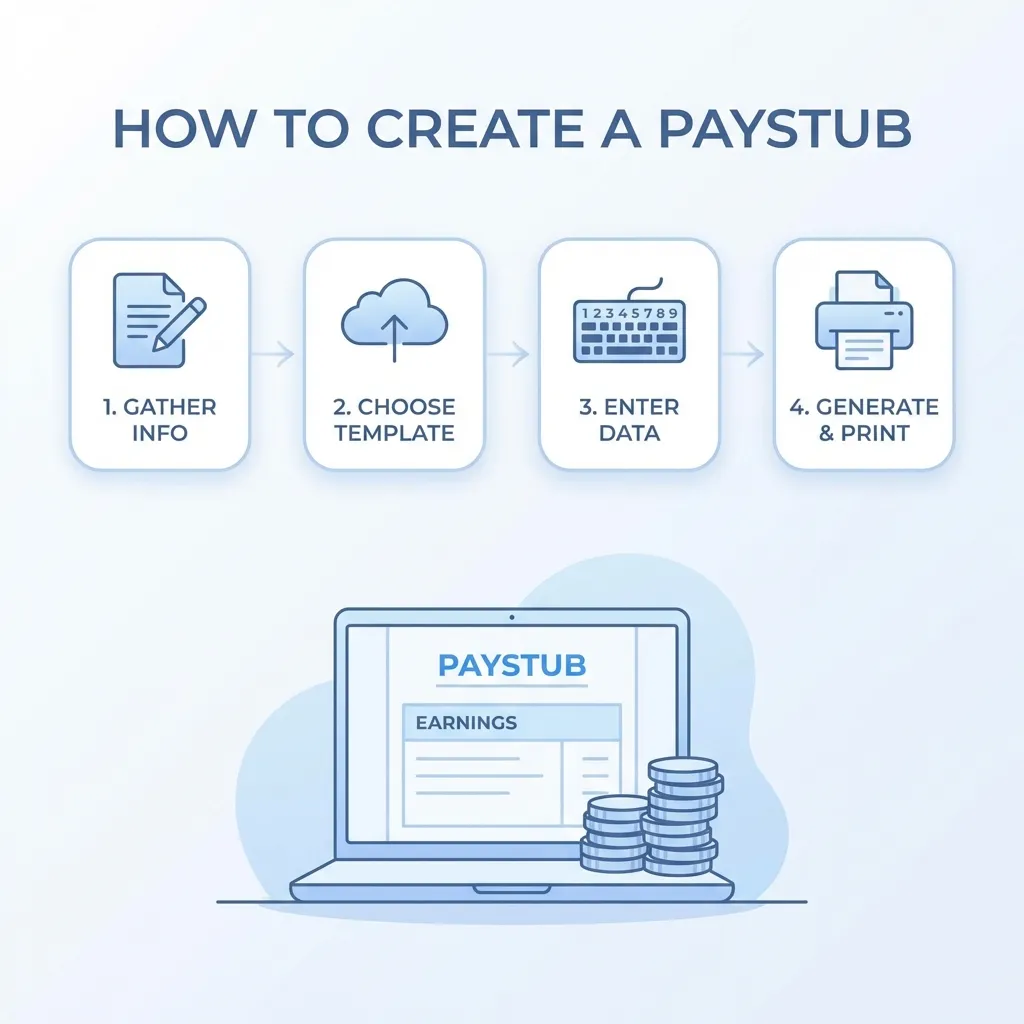
Step-by-Step Tutorial: Creating Your Pay Stub
Step 1: Navigate to the Pay Stub Generator
Go to the ValidPaystubs Generator. The form is divided into clear sections that match the information you gathered above.
Step 2: Enter Employer Details
Enter your business information:
Company Name: Smith Consulting LLC
Address: 123 Business Park Drive
City: Austin
State: Texas
ZIP: 78701
Critical: Use your business's legal name exactly as it appears on your state registration, business bank account, and tax returns. Consistency across all documents is what makes pay stubs pass verification.
Step 3: Enter Employee Details
Enter your personal information as the employee:
Employee Name: John A. Smith
Address: 456 Residential Lane
City: Austin
State: Texas
ZIP: 78702
SSN (last 4): 1234
Employee ID: EMP-001
Step 4: Configure Pay Details
This is where proper configuration matters most for accuracy.
Option A: Hourly Workers
- Enter your hourly rate (e.g., $45.00/hour)
- Enter hours worked (e.g., 80 hours for a bi-weekly period)
- Add overtime hours at 1.5× rate if applicable
Option B: Salaried Workers
- Enter your annual salary (e.g., $75,000/year)
- Select pay frequency (bi-weekly = 26 periods)
- The system auto-calculates per-period gross pay: $75,000 ÷ 26 = $2,884.62
Pay Frequency Reference:
| Frequency | Periods/Year | $60K Salary Per Period | $75K Salary Per Period | $100K Salary Per Period |
|---|---|---|---|---|
| Weekly | 52 | $1,153.85 | $1,442.31 | $1,923.08 |
| Bi-Weekly | 26 | $2,307.69 | $2,884.62 | $3,846.15 |
| Semi-Monthly | 24 | $2,500.00 | $3,125.00 | $4,166.67 |
| Monthly | 12 | $5,000.00 | $6,250.00 | $8,333.33 |
Step 5: Select Your State
This step is crucial for tax accuracy. Different states have vastly different tax requirements, and a wrong state selection will produce incorrect deductions:
| State | State Income Tax | Special Considerations |
|---|---|---|
| California | Up to 13.3% | SDI (State Disability Insurance) deducted |
| New York | Up to 10.9% | NYC residents pay additional city tax |
| Texas | 0% | No state income tax |
| Florida | 0% | No state income tax |
| Washington | 0% | No state income tax |
| Illinois | 4.95% flat | Same rate for all income levels |
| Pennsylvania | 3.07% flat | One of the lowest flat rates |
The generator automatically applies the correct 2026 tax tables for your selected state, including state-specific taxes like California SDI, New Jersey FLI, and Hawaii TDI.
Step 6: Set Pay Period Dates
Enter the exact dates for the pay period:
Pay Period Start: 01/01/2026
Pay Period End: 01/14/2026
Pay Date: 01/17/2026
Important rules for dates:
- The pay date should be after the pay period end date (this is how real payroll works — there's a processing delay)
- If creating multiple stubs, ensure dates are consecutive with no gaps
- Keep consistent with your chosen pay frequency
Step 7: Review Auto-Calculated Taxes
Once you enter your details, the engine calculates everything automatically using IRS Publication 15-T methodology:
| Tax | How It's Calculated |
|---|---|
| Federal Income Tax | Based on filing status, pay amount, and 2026 brackets |
| Social Security | Exactly 6.2% of gross pay (up to $176,100) |
| Medicare | Exactly 1.45% of gross pay |
| State Income Tax | Based on your selected state and its 2026 rates |
| Net Pay | Gross pay minus all deductions |
Verification tip: Social Security should be exactly 6.2% and Medicare exactly 1.45%. If these numbers are off by even a penny, it could flag the document as inaccurate.
Step 8: Preview and Download
Click "Preview" to see your completed pay stub. Before downloading, verify:
- ✅ Correct names, addresses, and identifiers
- ✅ Accurate gross pay amount
- ✅ Reasonable tax deductions (should total approximately 20-30% of gross)
- ✅ Proper YTD calculations (should equal any previous stubs + this period)
- ✅ Net pay matches or will match your bank transfer
Creating Multiple Consecutive Pay Stubs
When landlords or lenders request "the last 2-3 pay stubs," they expect consecutive documents that tell a consistent income story. Here's how to ensure accuracy across multiple stubs:
YTD Consistency Rules
| Pay Stub # | Period | How to Calculate YTD |
|---|---|---|
| Stub 1 | 01/01 – 01/14 | YTD = Current period amounts |
| Stub 2 | 01/15 – 01/28 | YTD = Stub 1 + Stub 2 amounts |
| Stub 3 | 01/29 – 02/11 | YTD = Stub 1 + Stub 2 + Stub 3 amounts |
What "Consistent" Means
- Same gross pay every period (if salaried) — variances look suspicious
- Same deduction percentages — tax rates shouldn't change between stubs
- Growing YTD — each stub should show progressively higher year-to-date totals
- Matching bank deposits — net pay on stubs should correspond to actual transfers
Tips for Creating Perfect Pay Stubs
Tip 1: Match Your Bank Records
The net pay on your stub should match the exact transfer from your business account to personal account. Landlords and underwriters may cross-reference these documents.
Tip 2: Keep Business Name Consistent
Your business name should be identical across:
- Pay stubs
- Business bank account
- State registration
- Tax returns (Schedule C or corporate filing)
- 1099s from clients
Tip 3: Use Professional Templates
Avoid hand-created spreadsheets or Word documents. Professional formatting from a paystub generator signals legitimacy and reduces follow-up questions from verifiers.
Tip 4: Archive Every Stub
Save PDF copies of every pay stub you create. The IRS recommends keeping financial records for at least 3 years.
Frequently Asked Questions
Is it legal to create my own pay stub?
Yes! It's completely legal for self-employed individuals, business owners, and freelancers — as long as the information accurately reflects your real income. Falsifying income amounts is fraud.
What if I don't know the exact tax amounts?
You don't need to! ValidPaystubs calculates federal, state, Social Security, and Medicare taxes automatically using 2026 IRS tax tables. Just enter your gross pay.
Can I create a pay stub for past dates?
Yes. You can generate pay stubs for any historical pay period — useful for catching up on documentation, replacing lost records, or establishing income history.
How many pay stubs do I need for an apartment?
Most landlords request 2-3 recent pay stubs. Create consecutive stubs (e.g., Dec 15, Jan 1, Jan 15) to show consistent income.
What if my income varies month to month?
Create stubs that reflect your actual payments to yourself. If you pay yourself different amounts, the stubs should match those real transactions. Include bank statements as supporting documentation.
Conclusion: Create Your Pay Stub in 2 Minutes
Now you know exactly how to create a pay stub for yourself as a self-employed individual. The process is straightforward:
- Enter your business details
- Enter your personal details
- Input your pay amount and frequency
- Select your state for accurate tax calculations
- Review the live preview and download
Stop letting paperwork hold you back from apartments, cars, or loans. Create professional income documentation in minutes.
Sources & References
- IRS — Self-Employed Individuals Tax Center
- IRS — Paying Yourself from an S-Corp
- IRS Publication 15 (Circular E) — Employer's Tax Guide
- IRS Publication 15-T — Federal Income Tax Withholding Methods
- Social Security Administration — Contribution and Benefit Base
- DOL — Fair Labor Standards Act
- IRS — Employer Identification Numbers
- IRS — How Long Should I Keep Records?

About ValidPaystubs Editorial Team
Articles on ValidPaystubs are written and maintained by the editorial team at Sweethelp LLC, the company that operates this site from Sheridan, WY. We are a small team, not a firm of accountants — we build the tool and document how US payroll figures work, citing the IRS and state revenue departments so you can check any number against its source. Nothing here is tax, legal or financial advice, and for a decision that matters you should talk to a licensed professional.
View Profile