Understanding Your Check Stub Creator
A check stub creator is an online tool or software that generates a detailed record of an employee's earnings and deductions for a specific pay period. It's essential for payroll accuracy, tax compliance, and providing proof of income when needed. This digital convenience saves time and reduces errors for both employers and employees.
As someone who's spent over a decade ins and outs of human resources and benefits, I can tell you that the humble pay stub, often called a check stub, is far more important than many people realize. It's not just a piece of paper; it's a critical financial document. For individuals, it's proof you got paid. For businesses, it's a compliance bedrock.
What Exactly Is a Check Stub Creator?
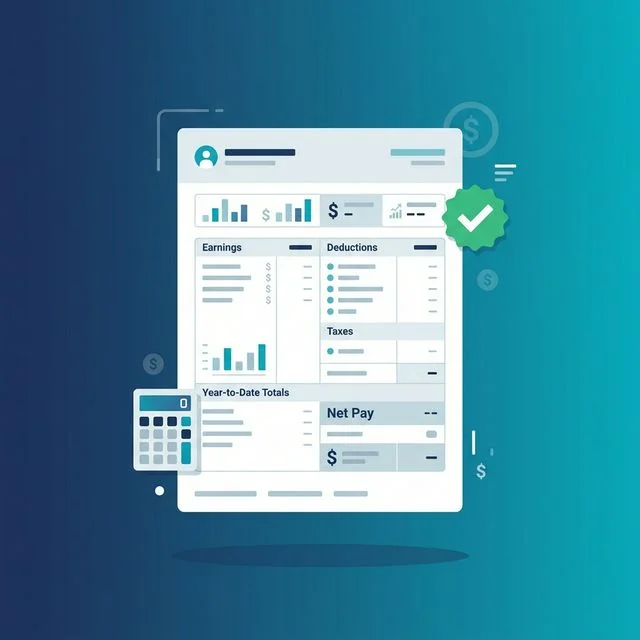
Think of a check stub creator as your digital assistant for payroll documentation. It's software or a web-based service designed to produce professional, accurate pay stubs. These documents break down an employee's gross pay, list all deductions, and clearly show their net pay. They're vital.
Why would you need one? Maybe you're a small business owner paying your first employee. Perhaps you're a freelancer trying to verify your earnings for a loan application. Or maybe you're an employee who needs a replacement pay stub fast. These creators fill that gap. They make the process straightforward, even for those who aren't payroll experts. If you need a professional pay stub right now, you can create one in under 2 minutes.
Why Do You Need Accurate Pay Stubs?
Accuracy isn't just a nice-to-have; it's a must. Incorrect pay stubs lead to massive headaches. They can cause issues with tax filings, loan applications, and even legal disputes. In my experience, most payroll errors stem from a lack of clear documentation.
Here's the thing though — properly generated pay stubs serve several vital functions:
- Proof of Income: This is huge. Landlords, lenders, and government agencies often require proof of steady income. A pay stub is your official document. It's far more reliable than a bank statement alone. Many people use a proof of income generator when they need to verify their earnings for housing or financing.
- Compliance with Labor Laws: The Fair Labor Standards Act (FLSA) requires accurate record-keeping for wages and hours. Many states have specific laws about what must be included on a pay stub and when it must be provided. For example, some states mandate disclosure of sick leave accrual. You can check the U.S. Department of Labor's website for more details on federal requirements.
- Tax Documentation: Pay stubs show federal, state, and local tax withholdings. They also detail FICA taxes (Social Security and Medicare). This information directly feeds into W-2 forms at year-end. Understanding these deductions is key; we covered this in detail in our Fica Tax Explained article.
- Employee Understanding: Employees need to understand how their net pay is calculated. Transparency builds trust. It helps them budget and verify that they're being paid correctly.
- Loan and Credit Applications: Whether you're buying a house, a car, or simply applying for a new credit card, lenders will almost certainly ask for recent pay stubs. They want to confirm your stated income.
What Information Should Be On a Pay Stub?
A good check stub creator ensures all legally required and practically useful information is included. What's absolutely necessary?
- Employee Information: Your full name and address.
- Employer Information: Company name, address, and often an Employer Identification Number (EIN).
- Pay Period Dates: Clearly stating the start and end dates of the period the payment covers.
- Pay Date: When the payment was issued.
- Gross Pay: Total earnings before any deductions.
- Hours Worked: For hourly employees, this is essential. Overtime hours should be distinct.
- Deductions:
- Mandatory Deductions:
- Federal Income Tax (FIT)
- State Income Tax (SIT)
- Local Income Tax (LIT, if applicable)
- Social Security (currently 6.2% up to the annual wage base, as explained by the Social Security Administration)
- Medicare (currently 1.45%)
- Voluntary Deductions:
- Health insurance premiums
- Retirement contributions (401k, IRA)
- Garnishments
- Union dues
- Flexible Spending Accounts (FSAs) or Health Savings Accounts (HSAs)
- Mandatory Deductions:
- Net Pay: Your take-home pay after all deductions.
- Year-to-Date (YTD) Totals: Cumulative earnings and deductions for the current year. These are incredibly useful for tracking your financial progress and tax planning.
Real talk: Without all these details, you're looking at a bad pay stub.
Choosing the Right Check Stub Creator
With so many options out there, how do you pick the best one? It really depends on your specific needs. Are you an individual needing one stub for a loan, or a small business running weekly payroll?
Comparison Table: Key Features to Look For
| Feature/Consideration | For Individuals (One-off Need) | For Small Businesses (Ongoing Payroll) |
|---|---|---|
| Ease of Use | Very High. Quick, intuitive input. | High. Must be efficient for regular use. |
| Accuracy | Critical. Correct calculations for all fields. | Absolutely Essential. Tax compliance, federal minimum wage ($7.25/hour), etc. |
| Customization | Basic branding (logo, simple layout). | Professional branding, multiple templates, customizable fields. |
| Cost | Often free or low-cost per stub. | Subscription models; consider value for features. |
| Integration | Not usually a concern. | Integration with accounting software (QuickBooks, Xero) is a huge plus. |
| Support | Self-service FAQs usually sufficient. | Responsive customer service is vital for payroll issues. |
| Security | Secure data handling for personal info. | data encryption, compliance with privacy regulations. |
| Reporting | Not applicable. | Detailed payroll reports, tax summaries, W-2/1099 generation. |
For personal use or a quick, one-off need, a free paystub generator can be incredibly helpful. If you're running a business, however, you'll want something more , perhaps even exploring other free payroll tools that offer more functionality.
The Rise of the Online Pay Stub Maker
Gone are the days of handwritten ledgers or clunky software installations. Today, the online paystub maker is king. Why? Convenience. You can access it from anywhere, on any device.
- Accessibility: Generate stubs from your office, home, or even a coffee shop (just make sure your Wi-Fi is secure, okay?).
- Speed: Input your data, hit a button, and boom — your pay stub is ready. This is especially useful if you're a contractor needing a quick document, something we discussed in our article, How To Create A Pay Stub For A Contractor.
- Reduced Errors: Many online tools automatically calculate deductions, reducing the chance of manual mistakes. They stay up-to-date with current tax rates, such as the 2026 FICA rate of 7.65%.
- Professional Appearance: Digital creators typically offer clean, professional templates. No more messy, handwritten documents that scream "unprofessional."
But wait, there's a catch. Not all online tools are created equal. Some free options might lack certain features or have intrusive ads. Others might not keep up with the latest tax laws. Always check reviews and verify that the output looks legitimate. I've seen clients get into tricky situations because they used a questionable generator. (Yes, some people try to fake pay stubs, which is a really bad idea.)
Common Pitfalls and How to Avoid Them
Even with a great check stub creator, you can still run into issues if you're not careful.
- Outdated Tax Information: Make sure the creator you're using is regularly updated with current federal, state, and local tax rates. The IRS updates its guidelines, like those in Publication 15, Employer's Tax Guide, annually.
- Missing Required Fields: Double-check that all legally mandated information is present. Some states have stricter requirements than others.
- Incorrect Employee Data: Inputting wrong names, addresses, or Social Security numbers will cause problems later, especially with W-2s.
- Misclassifying Workers: Are they an employee or a contractor? Misclassification can lead to significant penalties. Make sure your pay stub reflects the correct worker status.
- Not Keeping Records: Always save copies of generated pay stubs. Digital storage is fine, but have a backup.
Do you really want to deal with an IRS audit because your payroll records are a mess? I didn't think so.
Frequently Asked Questions
Is a check stub creator legal?
Yes, using a check stub creator to generate accurate pay stubs for legitimate purposes is completely legal. These tools help individuals and businesses comply with record-keeping requirements by producing professional and detailed proof of earnings and deductions. The legality hinges on the accuracy of the data you input and your intent.
Can I create a pay stub for myself if I'm self-employed?
Absolutely! If you're self-employed, a freelancer, or a contractor, you can use a check stub creator to document your income. While you don't typically issue a pay stub to yourself in the same way an employer would, these documents can be invaluable for personal record-keeping, loan applications, and proving your earnings to third parties.
How much does it cost to use a pay stub creator?
The cost varies widely. Many basic check stub creators offer free services for simple, one-off stubs, though these might come with ads or limited features. More advanced tools, especially those geared towards small businesses, often operate on a subscription model, charging a monthly or annual fee for unlimited stubs, more features, and better support. There are also services that charge a small fee per stub.
What's the difference between a pay stub and a check stub?
There's no functional difference; the terms "pay stub" and "check stub" are generally used interchangeably. Both refer to the document that details an employee's gross pay, deductions, and net pay for a specific pay period. "Check stub" is a more traditional term from when physical checks were dominant, while "pay stub" is more common today with direct deposit.
Getting Started with Your Check Stub Creator
If you're ready to create professional, accurate pay stubs, start by identifying your specific needs. Are you an individual needing proof of income for a quick loan application? Maybe you just need to make your check stub today without fuss. Or are you a small business owner who needs to consistently generate pay documents for your team?
Once you know what you need, research tools that fit. Look for ease of use, accuracy in calculations, and compliance with current tax laws. Don't be afraid to try a few different options before committing. Many offer free trials or single-stub purchases. The goal is clarity, accuracy, and peace of mind.
Sources
- Employer's Tax Guide (Publication 15) — Internal Revenue Service
- Fair Labor Standards Act — U.S. Department of Labor
- Wage Statistics — Bureau of Labor Statistics
- Social Security Fact Sheet — Social Security Administration

About ValidPaystubs Editorial Team
Articles on ValidPaystubs are written and maintained by the editorial team at Sweethelp LLC, the company that operates this site from Sheridan, WY. We are a small team, not a firm of accountants — we build the tool and document how US payroll figures work, citing the IRS and state revenue departments so you can check any number against its source. Nothing here is tax, legal or financial advice, and for a decision that matters you should talk to a licensed professional.
View Profile